iPad App Review: Flipboard
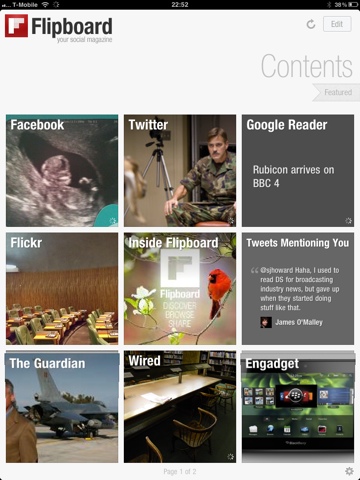 Of all the apps I have installed on my iPad, Flipboard is probably the one that has had the greatest impact on my digital life.
Prior to getting my iPad, I used to view my Facebook and Google Reader feeds via Socialite on my MacBook, and Twitter via the Twitter App for Mac of iPhone, depending on where I was.
Flipboard has now taken over from all the above.
It sucks in all of the above feeds, and produces a personalised ‘social magazine’ that just looks great on the iPad. Twitter links are sucked in, so that the linked webpage is transformed into a magazine article, while non-linking Tweets just appear. TwitPics appear as pictures in my magazine. It really is quite incredible, and very fast – probably quicker to refresh than the Twitter app on my iPhone.
But, importantly, it doesn’t just look good – it is brilliantly functional.
 Flipboard allows me to cross post anything anywhere, so I can share that interesting Tweet on Facebook or post that interesting article from Google Reader to Twitter with just a tap. You can also elect to ‘ignore’ people, without having to ‘unfriend’ or ‘unfollow’ them, which comes in handy.
Flipboard is now the primary way I interact with all of the above feeds. It’s brilliant.
Brilliant, but not perfect. I’d like to see threading of conversations on Twitter. I’d like to see whether Facebook statuses had comments without having to tap on them. I’d like Flipboard to see which Twitter and Facebook updates I’ve read and hide them, like it does with Google Reader (unless they have new comments). I’d really like Flipboard to learn what I like, and push those things to the front of the magazine rather than absolutely sticking to the timeline.
But still, Flipboard is great – in fact, I think it’s my favourite iPad app to date. I’m confident it will retain its place in my Dock for some time to come!
This is the fifth and final in a series of posts reviewing iPad Apps. Yesterday’s review was of Who Wants to be a Millionaire HD. If you enjoyed the series, let me know in the comments or on Twitter (@sjhoward), and maybe I’ll do something similar again sometime.
But that’s it for now… Stay tuned for more posts on different topics coming soon(er or later).
This post was filed under: iPad App Reviews, Reviews, Technology, Apple, Facebook, Flipboard, Google Reader, iPad, Social Media, Twitter.

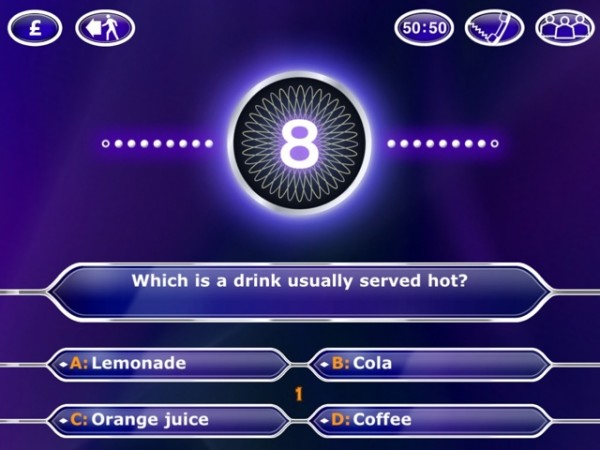 Naturally, when I got my iPad, I got the “Millionaire HD” app, which, like it’s iPhone cousin, bizarrely titles itself “2011” below the icon. And what did I get for my money? Essentially, a blown up version of the iPhone title. There really is no discernible difference between the two.
 So, as a Sky News viewer, the iPad App has been marketed very heavily at me. Frankly, I’m fed up of seeing the adverts.
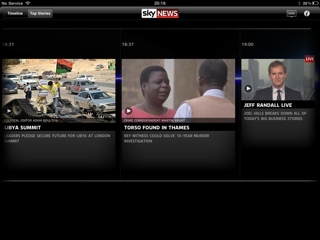 Conclusion: I hate it.
 Having made the leap to Mac, I initially tried using iWork, but when I found that Import and Export of Office formats was less than perfect, I moved back to Office.
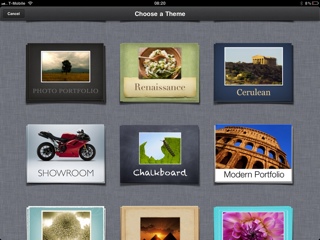 Keynote is similarly fantastic, and if I’m doing a presentation from my own laptop, it is always first choice. Unfortunately, it doesn’t degrade to PowerPoint format brilliantly – all transitions are lost for one thing. So I find myself using PowerPoint more often than I’d like.
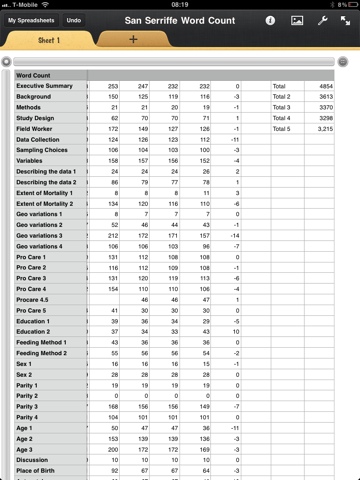 Keynote is great for writing and giving presentations on the go, or pulling them from my iDisk and giving them. I thought it would be the iWork App I used the most, but actually, I haven’t really got to grips with it yet, so can’t really give it a fulminent fair review.
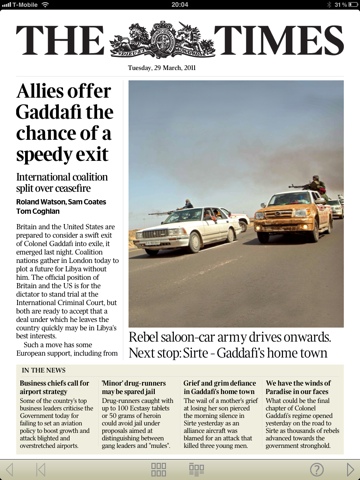 I didn’t used to like The Times’s journalism much. I used to read it quite a lot when it was a broadsheet, but when it switched to tabloid it seemed to simultaneously switch to picture-led storytelling, which is a danger of the format. It gained ‘silly’ page three features, true tabloid style, and lost a lot of the genuinely interesting Times 2 human interest stuff. I don’t know if / when any of that changed in the print version, but it certainly doesn’t seem to be the case so much in the iPad edition, which feels much more like The Times of old.
 Another benefit is the price… An online subscription, which includes access to the pay-walled website and the Sunday Times app costs £2 per week – bizarrely cheaper than the £9.99 subscription to the Times App alone.